
REFLOW · REAL ESTATE CRM

Less repetitive work.More human connection.

Reflow organizes leads, appointments and follow-ups for you. Spend more time listening to clients and helping them find the right home.

GMA

The CRM handles the routine. You focus on people.
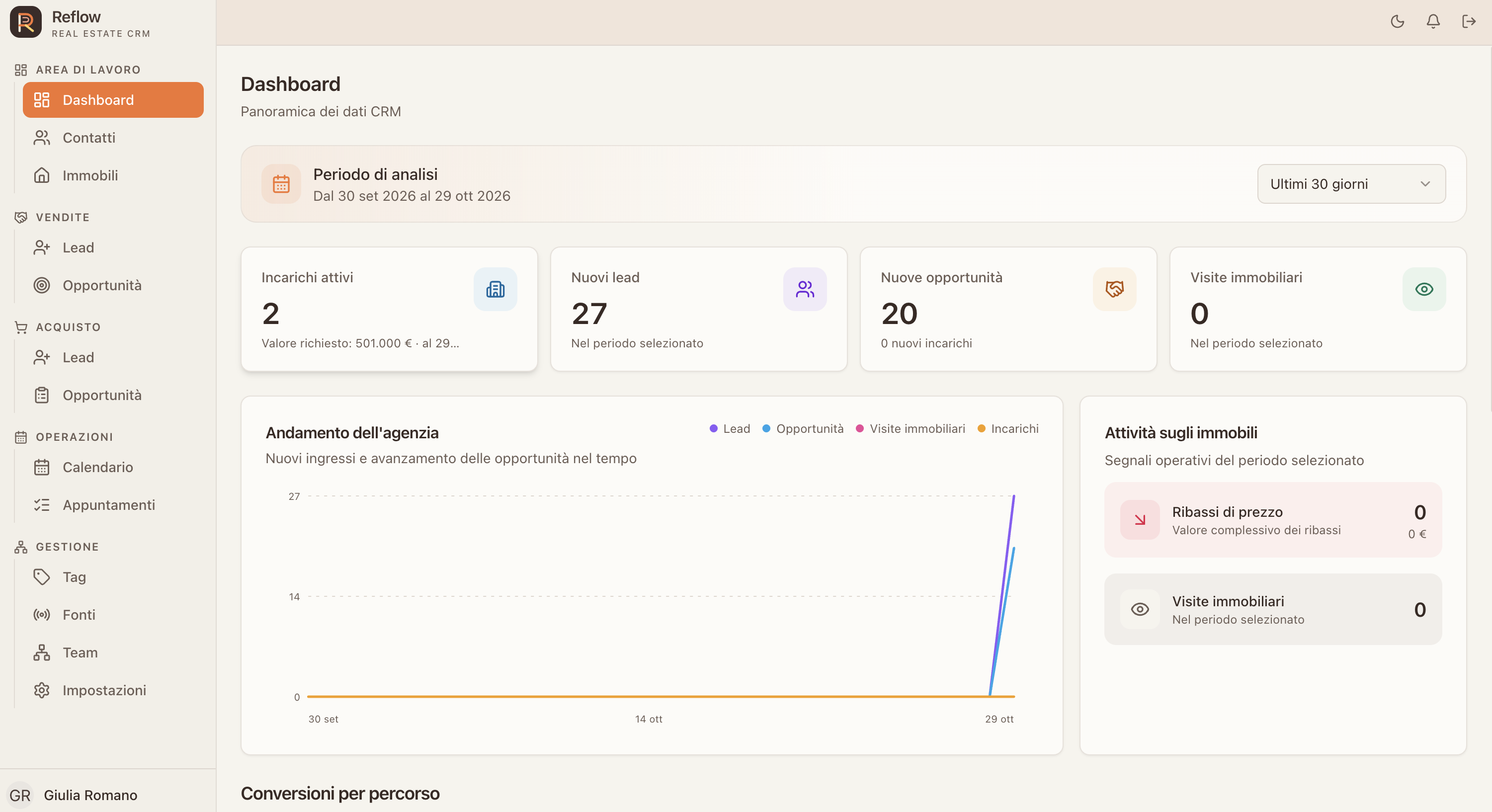
Reflow dashboard open on a Mac screen, showing agency indicators and opportunity activity.
✓Follow-up sentAppointment confirmed automatically.
MORE TIME FOR PEOPLE, LESS ON ROUTINE
YOUR WORK, CONNECTED
LEADS · APPOINTMENTS · FOLLOW-UPS · RELATIONSHIPS
THE CRM WORKS IN THE BACKGROUND

Technology clears the path.People make the difference.

One workspace for clients, properties and next steps, so agents can give their attention to the person in front of them.

01

Leads with follow-through

Capture requests, track conversations and move every opportunity forward with the full context close at hand.

02

Property at the centre

Connect people and properties, organize mandates and quickly find what you need to do great work.

03

Deals you can follow

Track seller and buyer journeys, appointments and tasks without losing sight of the relationship.

AGENCY OVERVIEW

Key numbers,at a glance.

The dashboard brings together active mandates, new leads and opportunities, with agency trends and property activity for the selected period.

THE BENEFIT

A single overview helps the team see what needs attention and prioritise next steps.

01Review02Compare03Spot04Prioritise05Act
AGENCY OVERVIEW: The dashboard brings together active mandates, new leads and opportunities, with agency trends and property activity for the selected period.
LEAD MANAGEMENT

Every enquiry,followed from first contact.

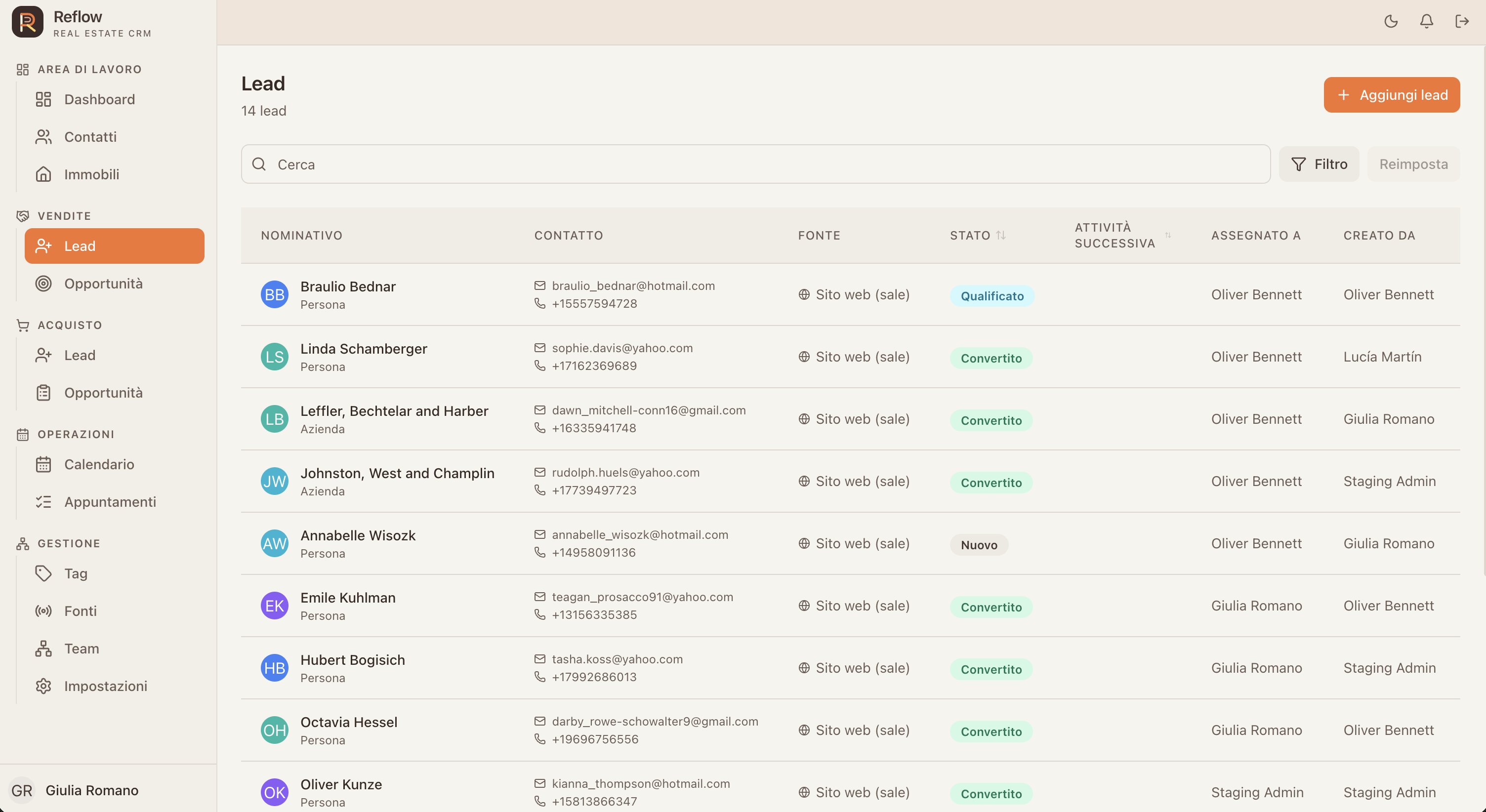
Capture sales and purchase leads, and review contact details, source, status and owner in one list.

THE BENEFIT

The context stays visible to the team, making it easier to follow up and keep requests moving.
01Capture02Qualify03Assign04Contact05Follow up
LEAD MANAGEMENT: Capture sales and purchase leads, and review contact details, source, status and owner in one list.
SALES

From valuationto mandate.

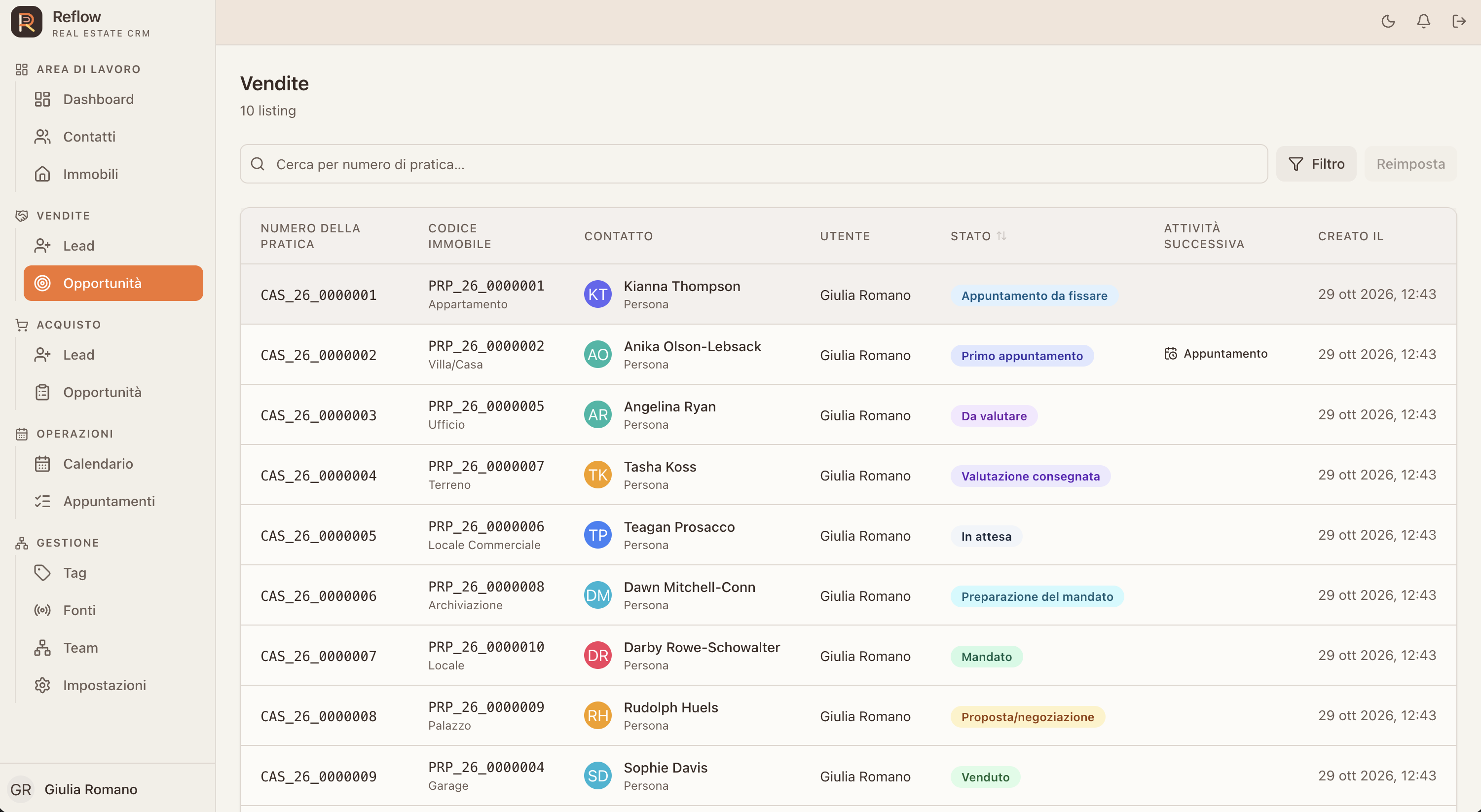
Follow sellers from first contact to signed mandate. Keep valuations, mandate terms, price history, appointments and offers in the same opportunity.

THE BENEFIT

The team can see what has been agreed and which step will move an enquiry towards a signed mandate.
01Lead02Valuation03Mandate04Offer05Sale
SALES: Follow sellers from first contact to signed mandate. Keep valuations, mandate terms, price history, appointments and offers in the same opportunity.
PURCHASE

From requirementsto completion.

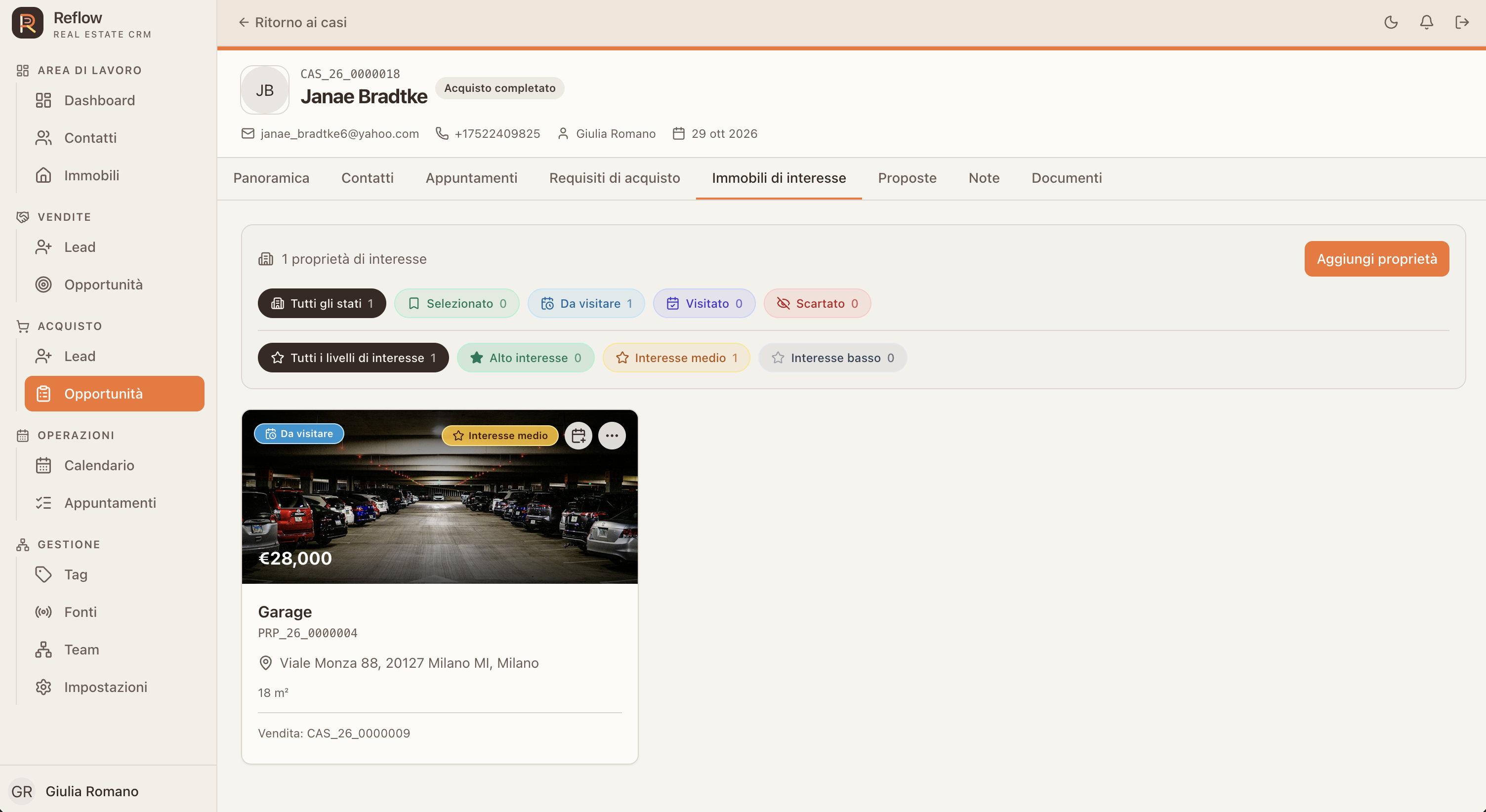
Capture budget, property type, area, timing and preferences. Link properties of interest, viewings and offers through to completion.

THE BENEFIT

Preferences and viewings stay connected, making it easier to suggest relevant homes and pick up the conversation after each visit.
01Needs02Search03Viewing04Offer05Closing
PURCHASE: Capture budget, property type, area, timing and preferences. Link properties of interest, viewings and offers through to completion.
PROPERTY PORTFOLIO

The full portfolio,at a glance.

Search and filter properties by type, status and features. From villas to offices, every record supports sales, purchase and rental work.

THE BENEFIT

An organised catalogue cuts repeated searching and helps match a property to each enquiry more quickly.
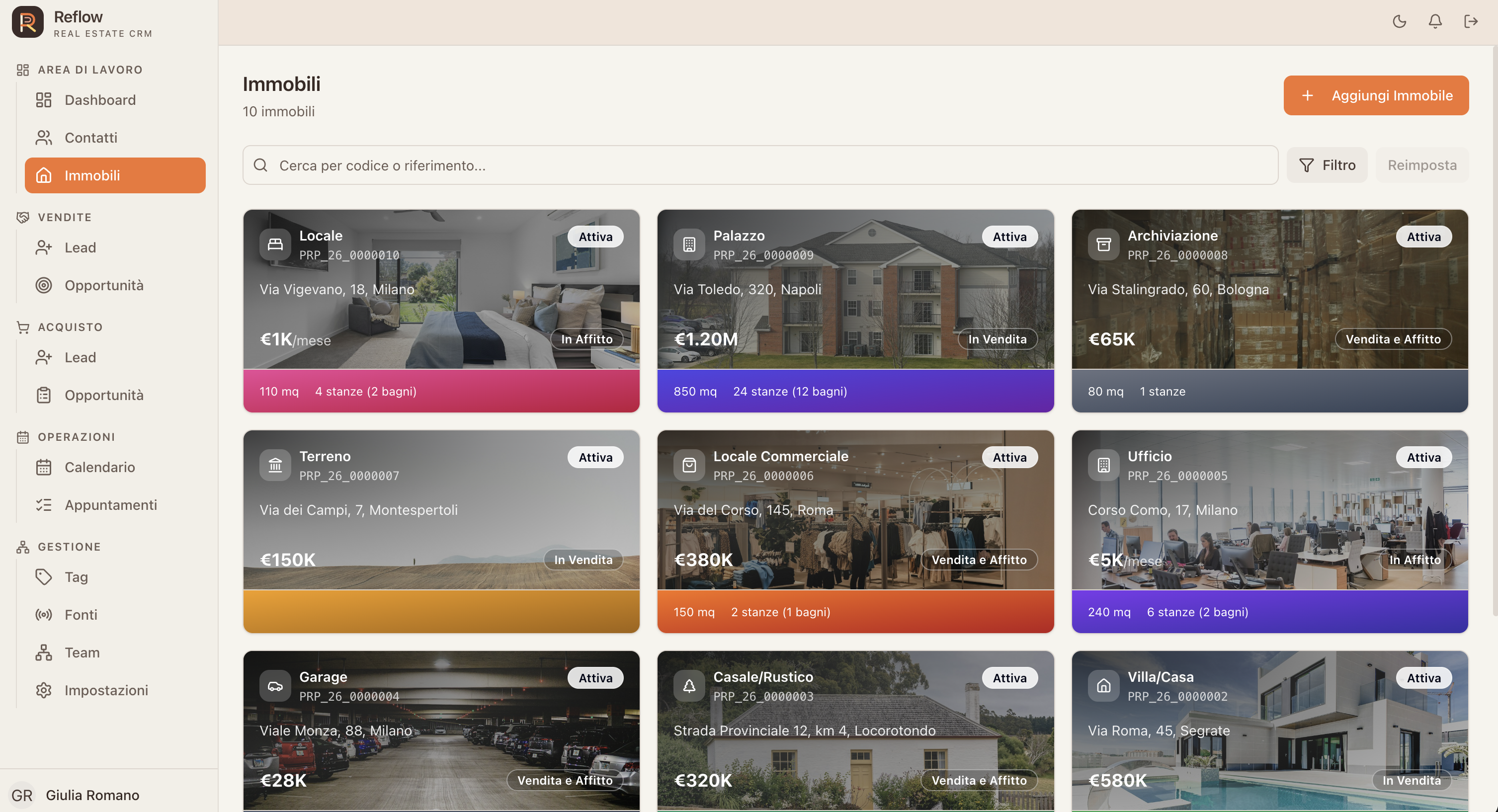
01Search02Filter03Record04Mandate05Activity
PROPERTY PORTFOLIO: Search and filter properties by type, status and features. From villas to offices, every record supports sales, purchase and rental work.
PROPERTY DETAILS

Every detail,in context.

A complete property record for features, areas, valuation, amenities, address, photos, notes and documents, connected to its commercial mandate.

THE BENEFIT

Complete, connected information keeps the context available across viewings, offers and office work.
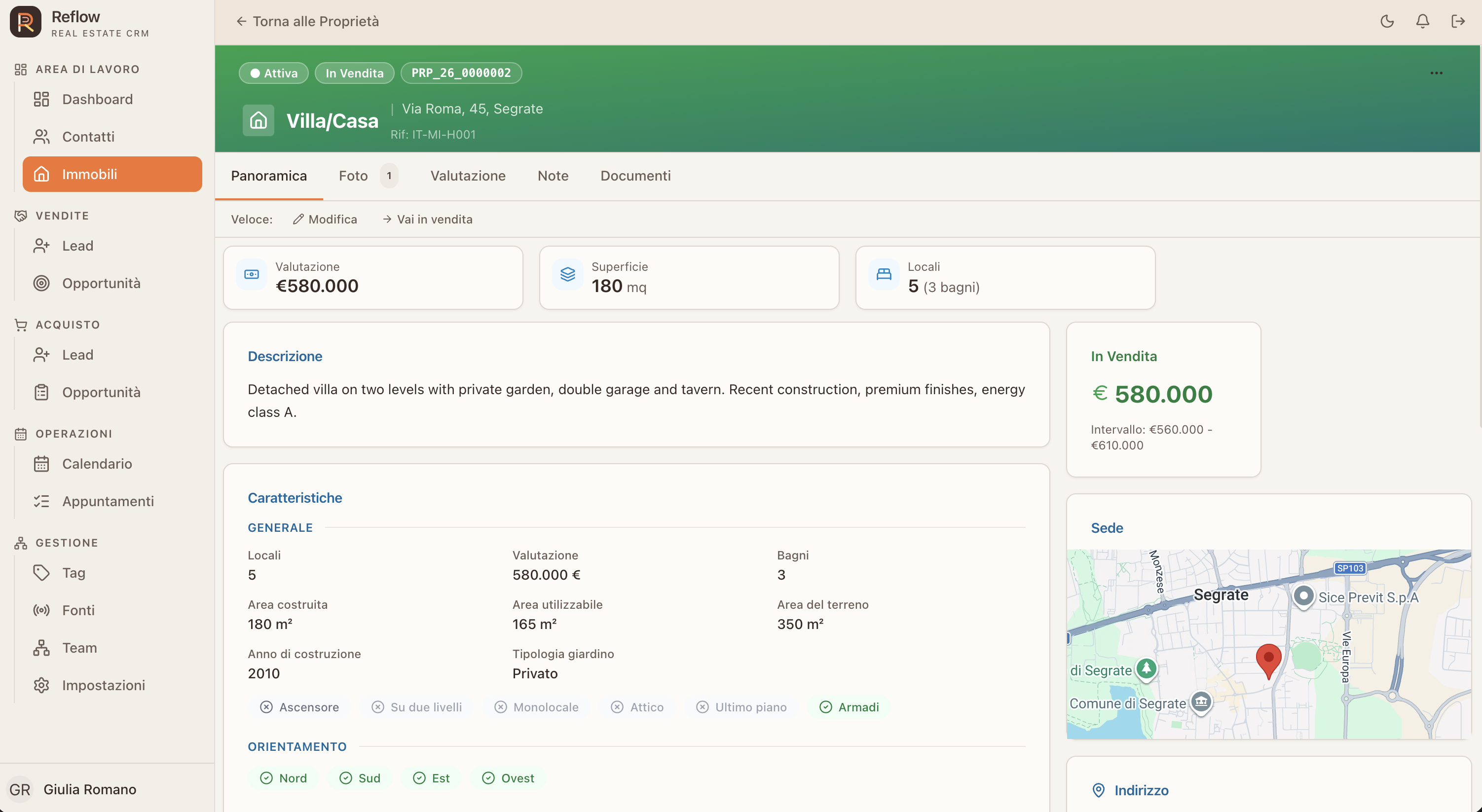
01Overview02Photos03Valuation04Notes05Documents
PROPERTY DETAILS: A complete property record for features, areas, valuation, amenities, address, photos, notes and documents, connected to its commercial mandate.
SALES MANDATE

Terms and pricing,kept in view.

Review mandate type and dates, asking price, minimum accepted price and the history of changes.

THE BENEFIT

Agreed terms stay documented alongside the listing and are easy to retrieve during negotiations.
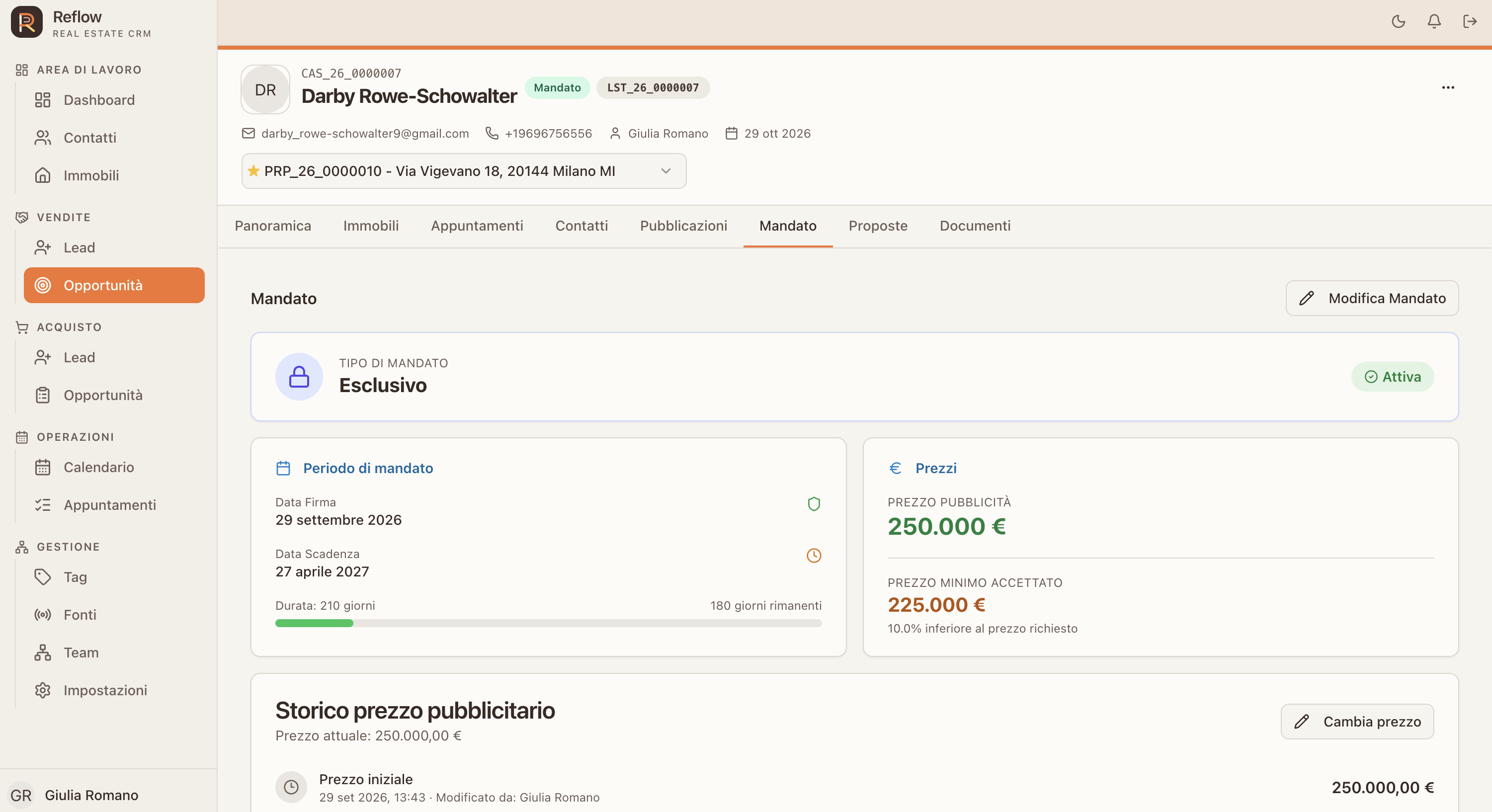
01Agree02Record03Monitor04Update05Negotiate
SALES MANDATE: Review mandate type and dates, asking price, minimum accepted price and the history of changes.
PORTAL PUBLISHING

One listing,multiple channels.

Manage property listings from Reflow: connect portals, publish listings and sync updates while keeping publication status visible.

THE BENEFIT

Publication status is visible in one place, making listing updates easier to follow.
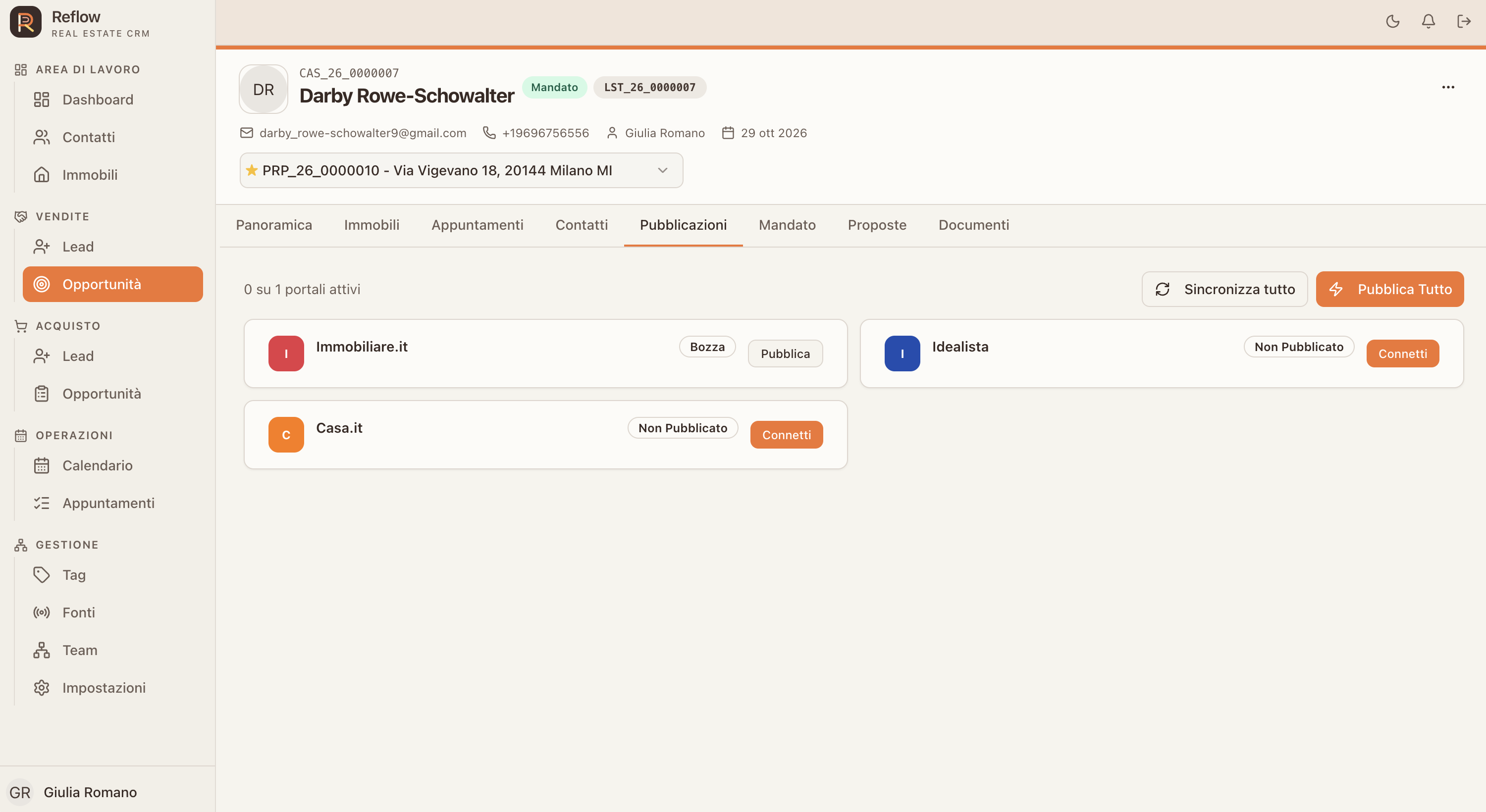
01Connect02Prepare03Publish04Sync05Update
PORTAL PUBLISHING: Manage property listings from Reflow: connect portals, publish listings and sync updates while keeping publication status visible.
LEAD SOURCES

Know whereevery enquiry starts.

Configure internal and external sources, and distinguish seller leads from buyer leads. Provenance stays visible as the relationship progresses.

THE BENEFIT

Knowing where enquiries come from helps the team understand its channels and guide each lead through the right journey.
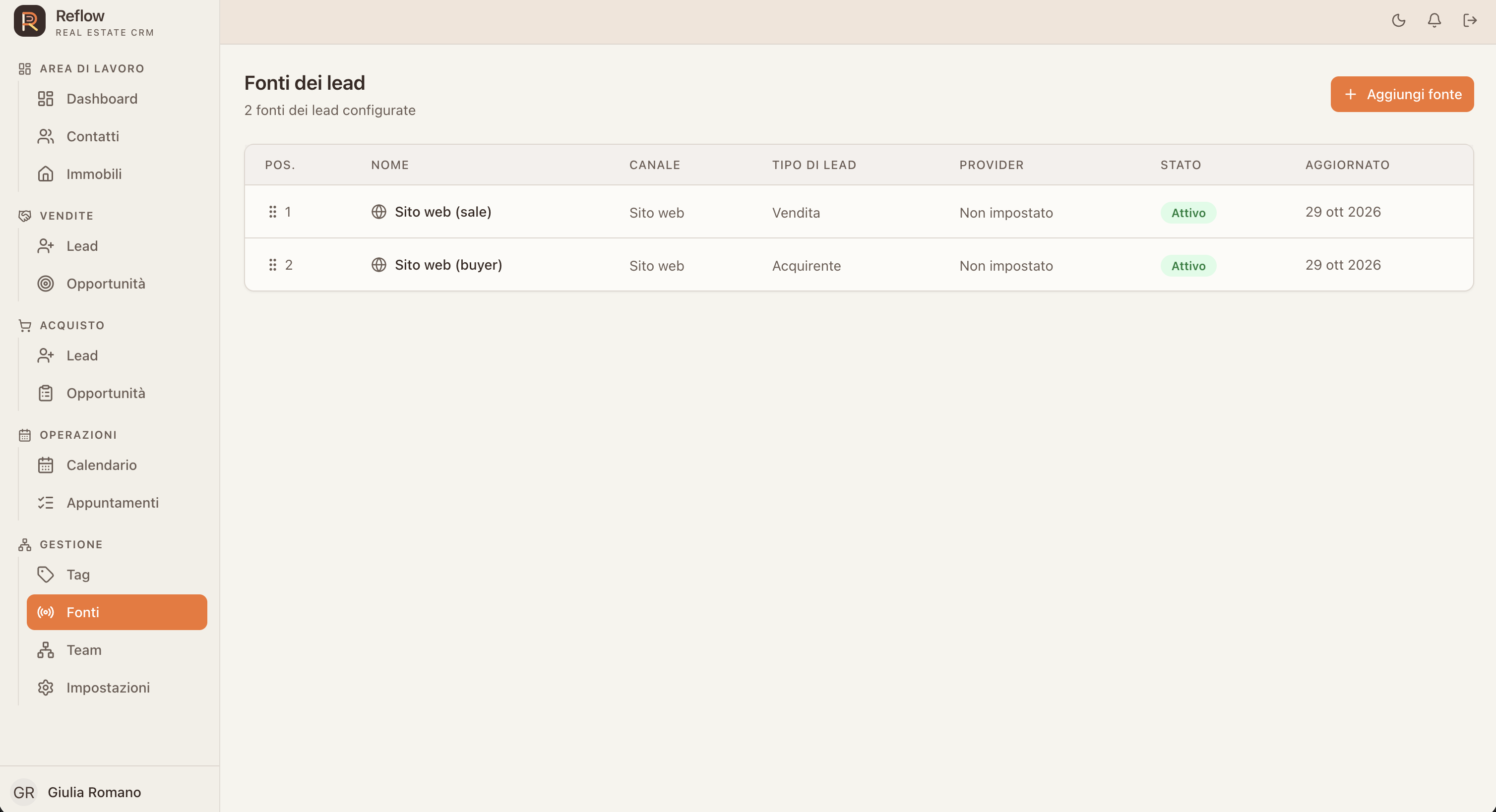
01Capture02Attribute03Qualify04Assign05Follow up
LEAD SOURCES: Configure internal and external sources, and distinguish seller leads from buyer leads. Provenance stays visible as the relationship progresses.
CALENDAR AND APPOINTMENTS

A day thatruns smoothly.

Coordinate viewings and appointments in month, week or day views. Filter events and keep the calendar close to each opportunity.

THE BENEFIT

The team can share commitments and viewings, avoid clashes and see the next appointment at a glance.
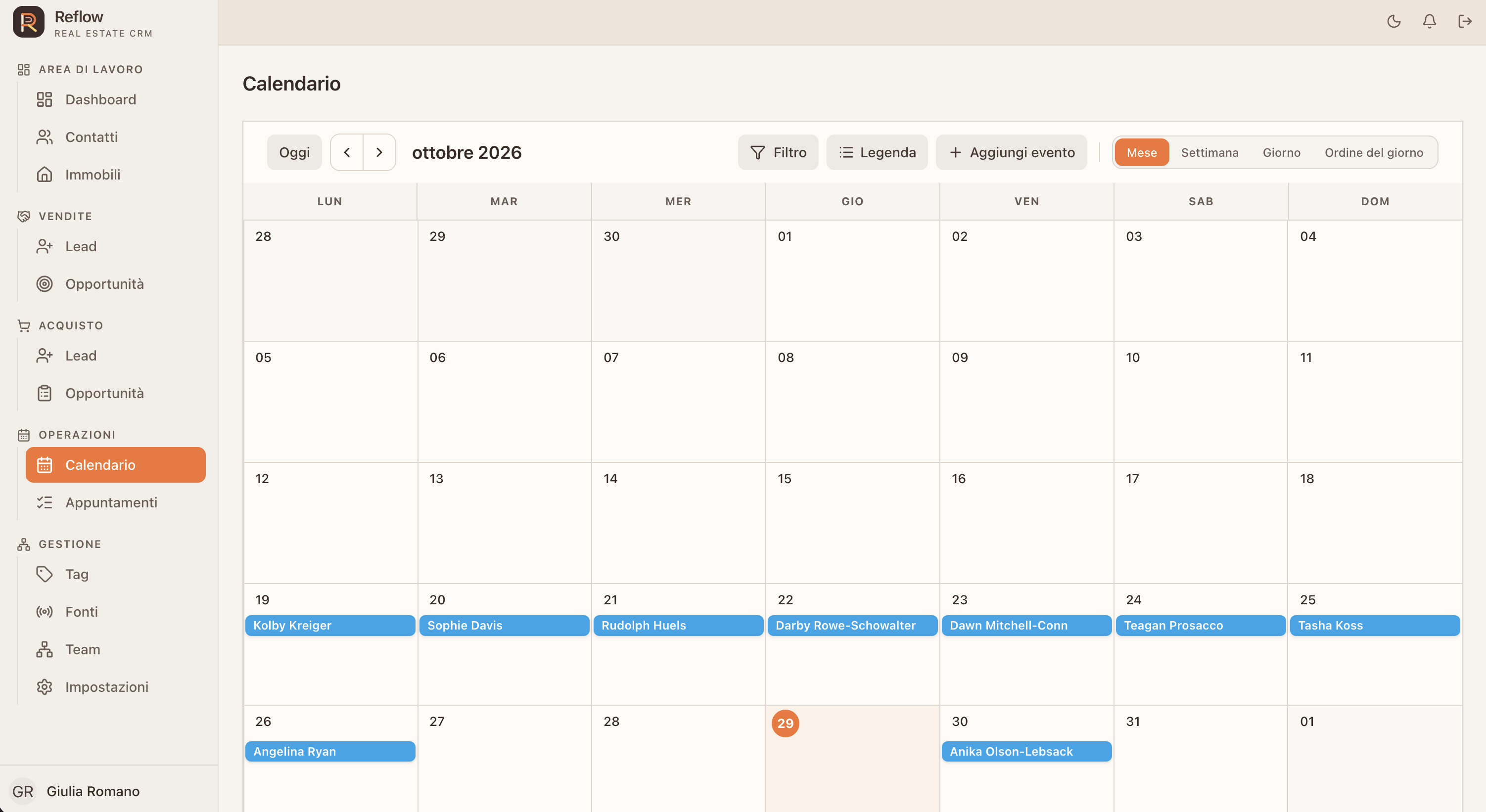
01Plan02Assign03Remember04Meet05Progress
CALENDAR AND APPOINTMENTS: Coordinate viewings and appointments in month, week or day views. Filter events and keep the calendar close to each opportunity.
REQUIRED DOCUMENTS

Every step,with paperwork ready.

Set which documents are required before publishing, creating a mandate or accepting an offer.

THE BENEFIT

The team knows what to collect and when, reducing incomplete steps in each case.
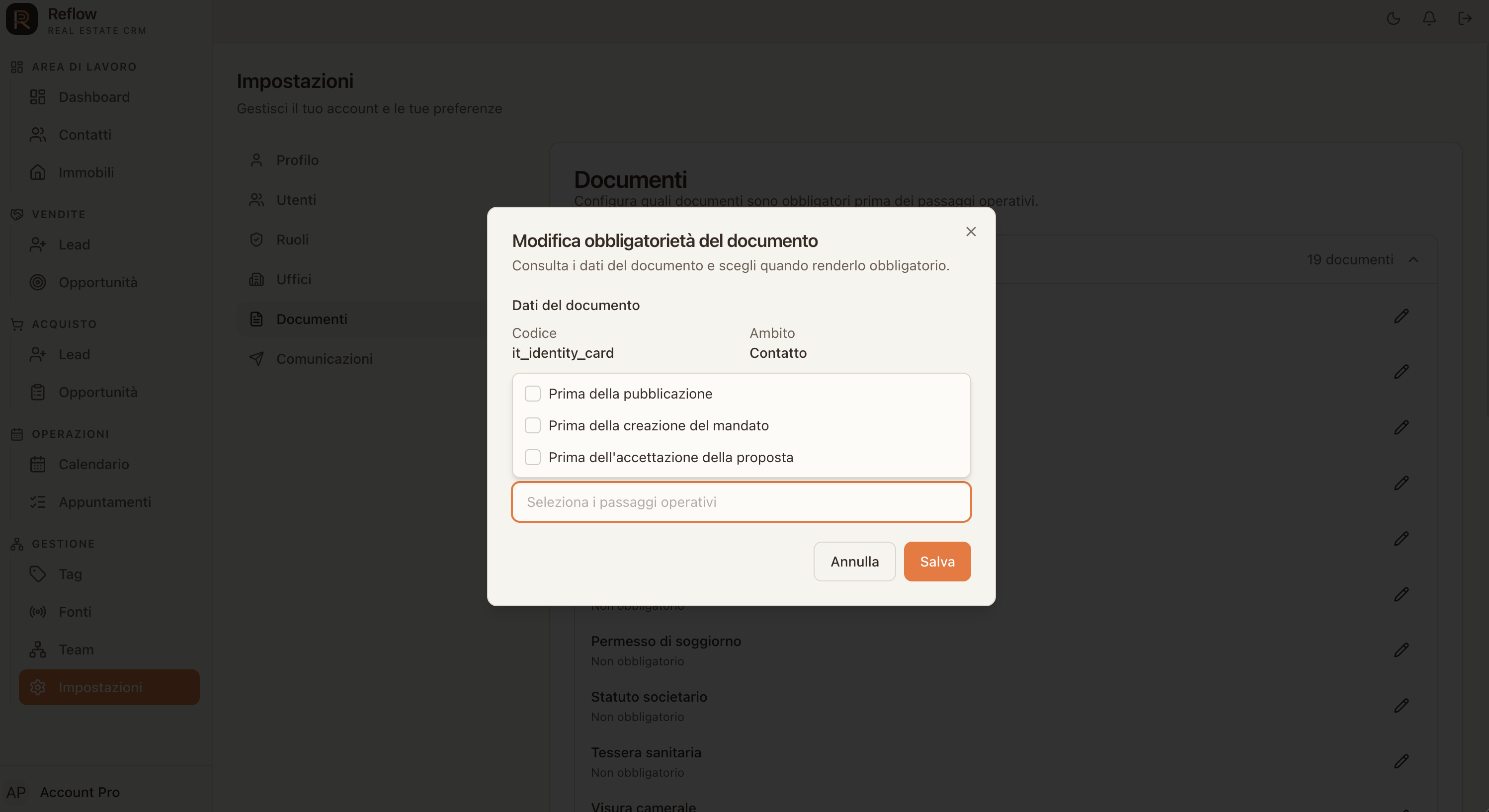
01Define02Request03Collect04Review05Complete
REQUIRED DOCUMENTS: Set which documents are required before publishing, creating a mandate or accepting an offer.
EMAIL AUTOMATIONS

The right message,at the right moment.

Create email templates triggered by CRM events. Personalise recipients and content with placeholders, send a test, then activate the template.

THE BENEFIT

Consistent messages go out when events happen, reducing manual reminders for clients and agents.
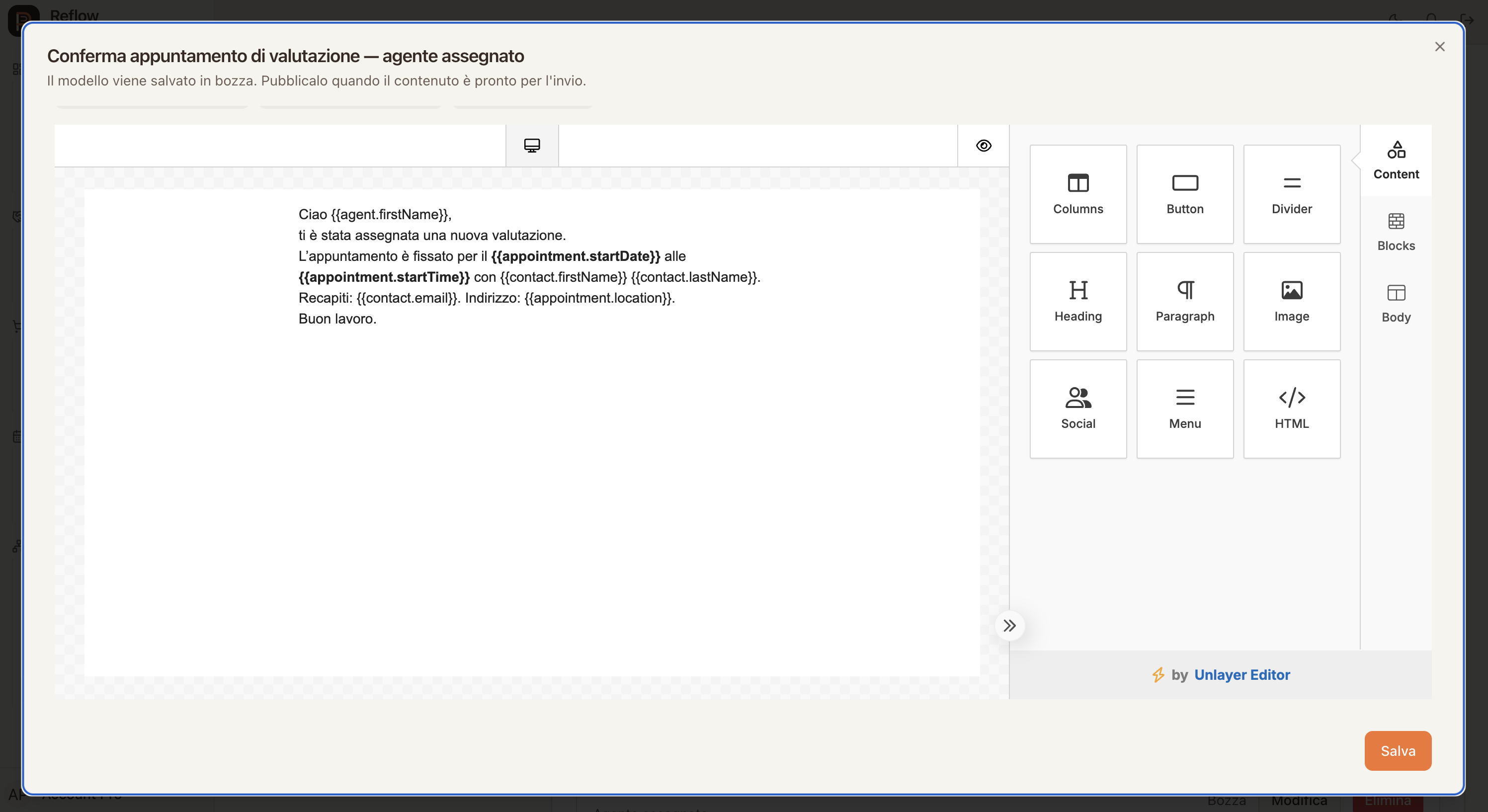
01Event02Template03Personalise04Test05Activate
EMAIL AUTOMATIONS: Create email templates triggered by CRM events. Personalise recipients and content with placeholders, send a test, then activate the template.
USERS AND COLLABORATORS

A team,with clear roles.

Add collaborators and see each person’s name, email, account status and assigned role in one view.

THE BENEFIT

It is easier to keep the team up to date and see who works in the agency and with which responsibilities.
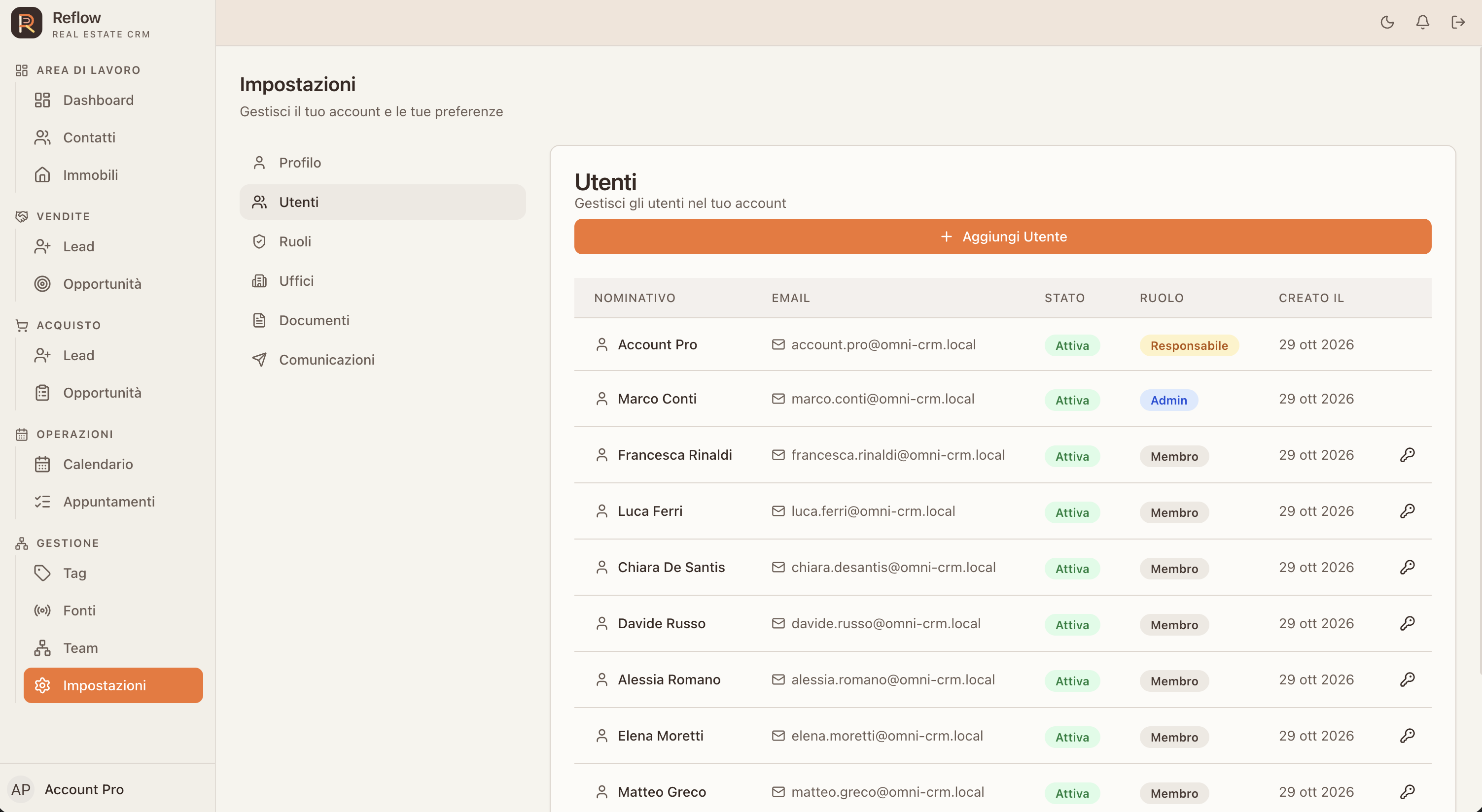
01Invite02Assign03Organise04Review05Update
USERS AND COLLABORATORS: Add collaborators and see each person’s name, email, account status and assigned role in one view.
ROLES AND ACCESS

The right access,for every role.

Use built-in roles or create custom ones for your responsibilities. Keep access aligned with the way your agency is organised.

THE BENEFIT

Each person gets tools that fit their role, with access configured around their responsibilities.
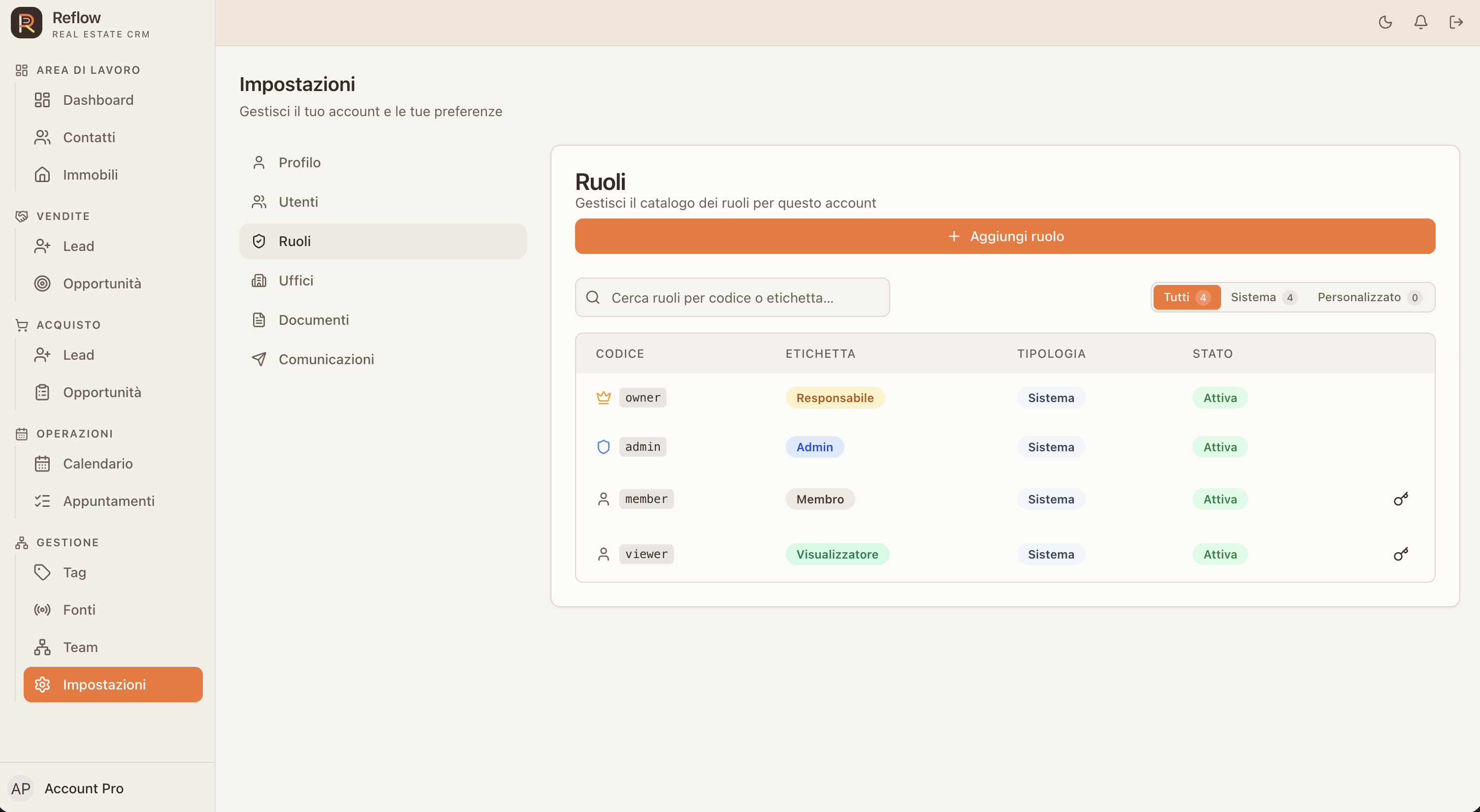
01Roles02Access03Users04Control05Review
ROLES AND ACCESS: Use built-in roles or create custom ones for your responsibilities. Keep access aligned with the way your agency is organised.
OPERATIONAL PERMISSIONS

Defined access,clearer responsibilities.

Configure role permissions for reading, creating, updating and managing resources, along with their applicable scopes.

THE BENEFIT

Each collaborator gets the access needed for their work, following the agency’s rules.
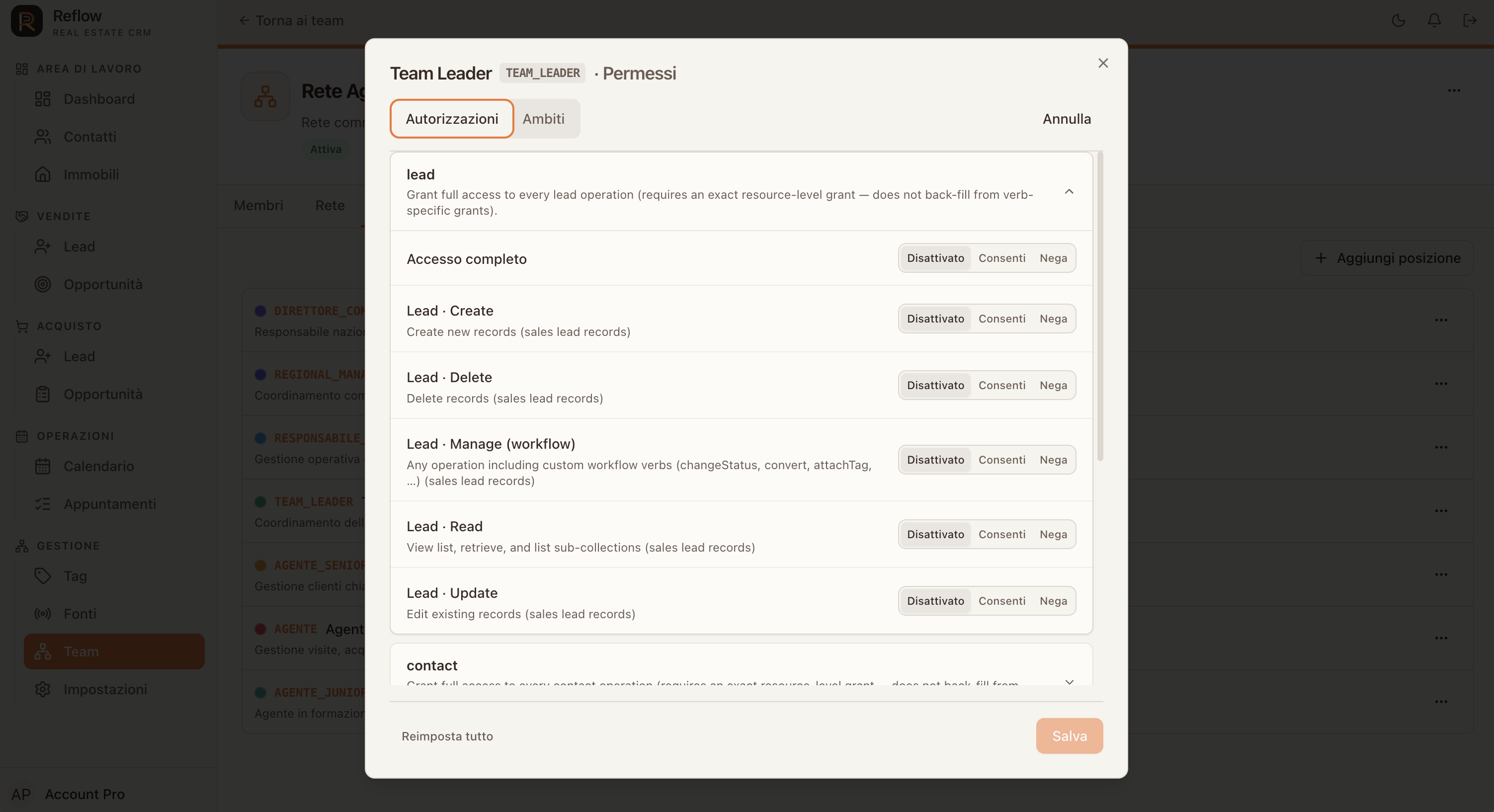
01Choose role02Review resources03Set access04Define scopes05Save
OPERATIONAL PERMISSIONS: Configure role permissions for reading, creating, updating and managing resources, along with their applicable scopes.
OFFICES AND BRANCHES

More branches,one operating view.

Organise network offices with locations, contact details and assigned members. Keep branch information easy to find as you grow.

THE BENEFIT

Contacts and members are grouped by branch, so coordinating offices takes fewer steps and less chasing.
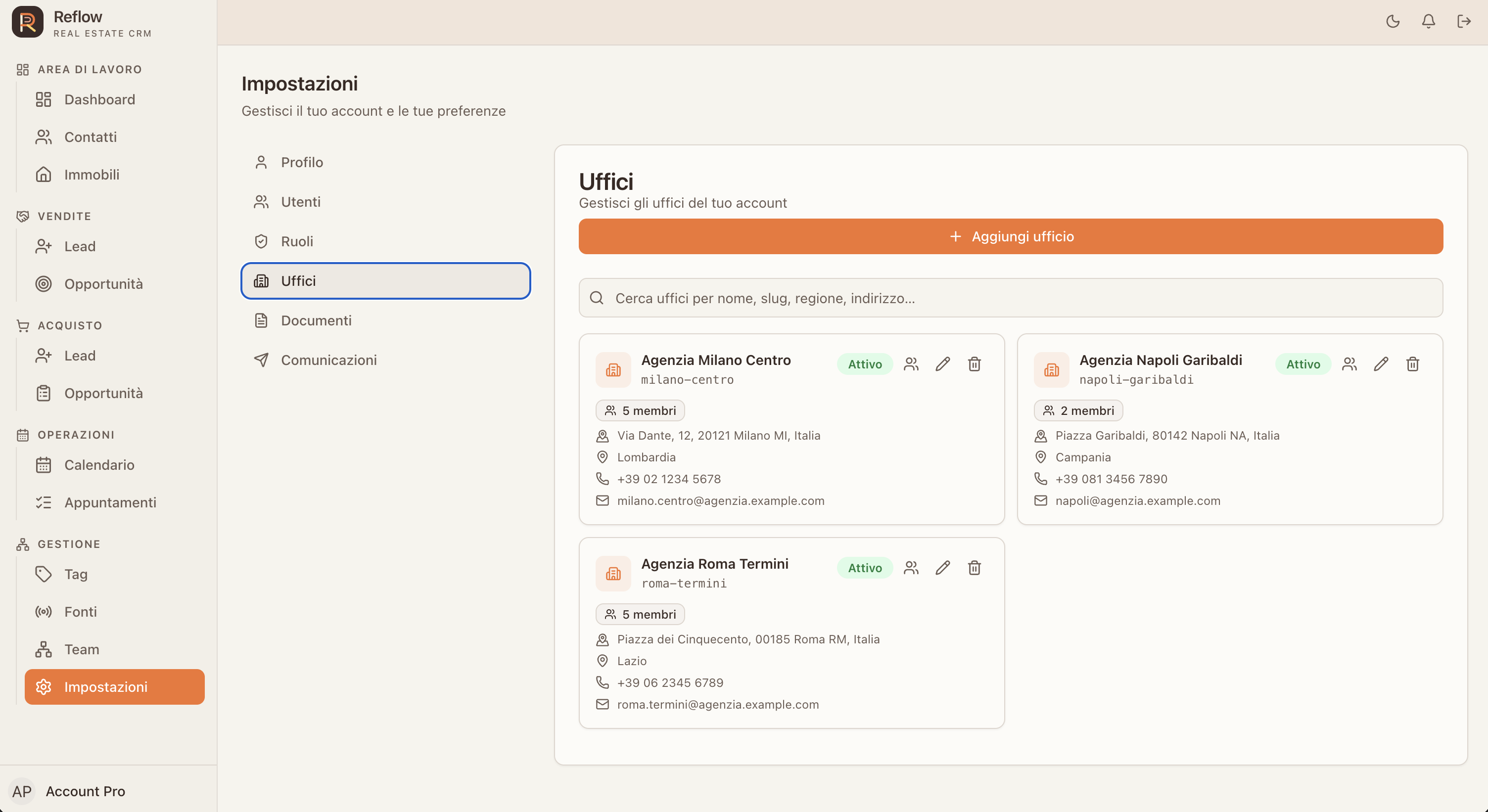
01Create02Organise03Assign04Coordinate05Grow
OFFICES AND BRANCHES: Organise network offices with locations, contact details and assigned members. Keep branch information easy to find as you grow.
TEAMS AND NETWORK

A network shapedaround your business.

Build reporting lines between managers, offices, teams and agents. The tree view makes levels and responsibilities clear.

THE BENEFIT

Responsibilities and reporting lines stay clear, even across several levels and offices.
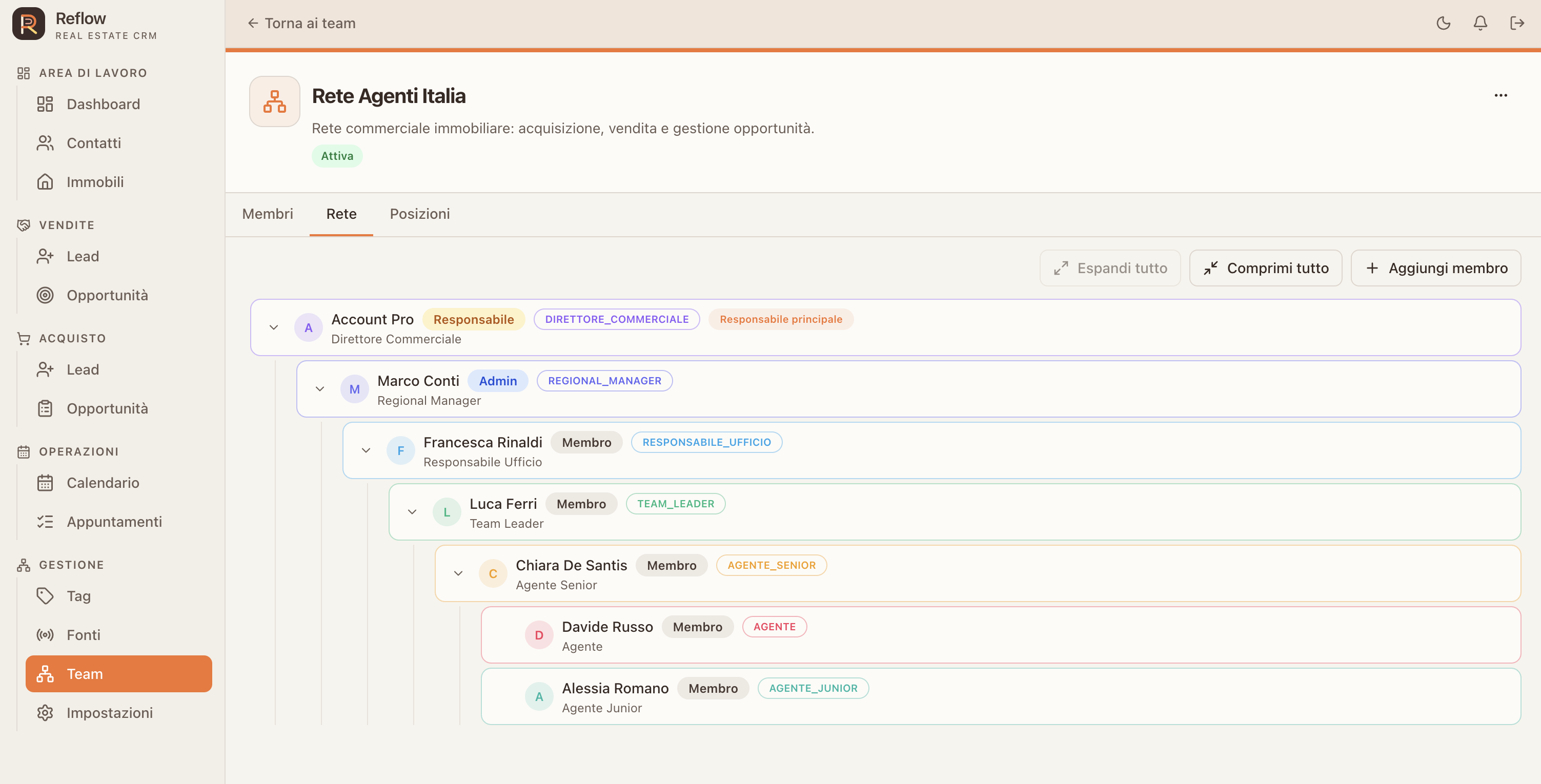
01Network02Managers03Offices04Teams05Agents
TEAMS AND NETWORK: Build reporting lines between managers, offices, teams and agents. The tree view makes levels and responsibilities clear.
“

Every relationship has a story. Reflow helps you keep the context and act at the right moment.

REFLOW · REAL ESTATE MANAGEMENT
LET’S MEET

Your next stepstarts here.

Tell me how your agency works. I’ll show you Reflow and we can see together whether it’s the right fit for your team.

↗I’ll personally get back to you to arrange a demo.

Request a demo

Leave your details and I’ll be in touch soon.

This form is temporarily unavailable.

Reflow — The real estate CRM that brings opportunities into focus